What's the Difference Between Native and Hybrid?
TL;DR: Native apps offer superior performance but at higher cost, while Hybrid apps are faster to develop and more cost-effective but with lower performance. The choice depends on budget and requirements.
Business owners today face a crucial decision when developing their mobile applications. Choosing between Native and Hybrid technologies isn't just a technical decision, but a strategy that affects budget, timeline, and user experience. With smartphone users reaching 6.8 billion people globally, understanding these technologies has become essential.
## Understanding Native Technologies
### What are Native Apps?
Native apps are applications developed specifically for one operating system using programming languages dedicated to that system. They use Swift or Objective-C for iOS, and Kotlin or Java for Android.
### Advantages of Native Apps
Superior Performance: Native apps achieve 60% faster performance than Hybrid according to Stack Overflow 2023 study.
Full Hardware Access: They utilize all device features like camera, GPS, and sensors with 100% efficiency.
Outstanding User Experience: They provide interfaces that align with each platform's standards, increasing user satisfaction by 40%.
Advanced Security: They enjoy stronger protection as they operate within dedicated sandboxes for each system.
### Disadvantages of Native Apps
High Cost: Require separate teams for iOS and Android development, increasing costs by 80-100%.
Long Development Time: Need 4-6 additional months compared to Hybrid to get two versions.
Complex Maintenance: Require separate updates for each platform.
## Advanced Hybrid Technologies
### Hybrid App Concept
Hybrid apps combine web technologies (HTML, CSS, JavaScript) with mobile app functionality. Develop once and run on multiple platforms.
### Main Frameworks
React Native: Used by Facebook and Instagram, achieves near-Native performance.
Flutter: Google's technology experiencing 200% annual growth.
Ionic: Suitable for simple to medium applications.
Xamarin: Microsoft's solution for enterprise applications.
### Hybrid Technology Advantages
Cost Savings: Reduce development costs by 30-50% compared to Native.
Development Speed: Develop once for multiple platforms saves 40% time.
Easy Maintenance: One update covers all platforms.
Single Team: JavaScript developers can work on the entire application.
### Hybrid Challenges
Limited Performance: 20-30% slower than Native especially in games and complex apps.
Hardware Access Constraints: Some advanced features may not be available.
App Size: Usually larger due to additional libraries.
## Key Selection Criteria
### Project and Requirements Analysis
App Type: Games and complex apps need Native, while simple business apps suit Hybrid.
Target Audience: If 80% of users are on one platform, consider Native.
Available Budget: Hybrid saves 40-60% of total cost.
Required Timeline: Hybrid is 3-4 months faster to market.
### Performance Requirements Assessment
High-Performance Apps: Banking and gaming need Native.
Medium Performance Apps: E-commerce and content suit Hybrid.
Simple Apps: Forms and information work well with Hybrid.
## Cost-Benefit Analysis
### Comprehensive Cost Analysis
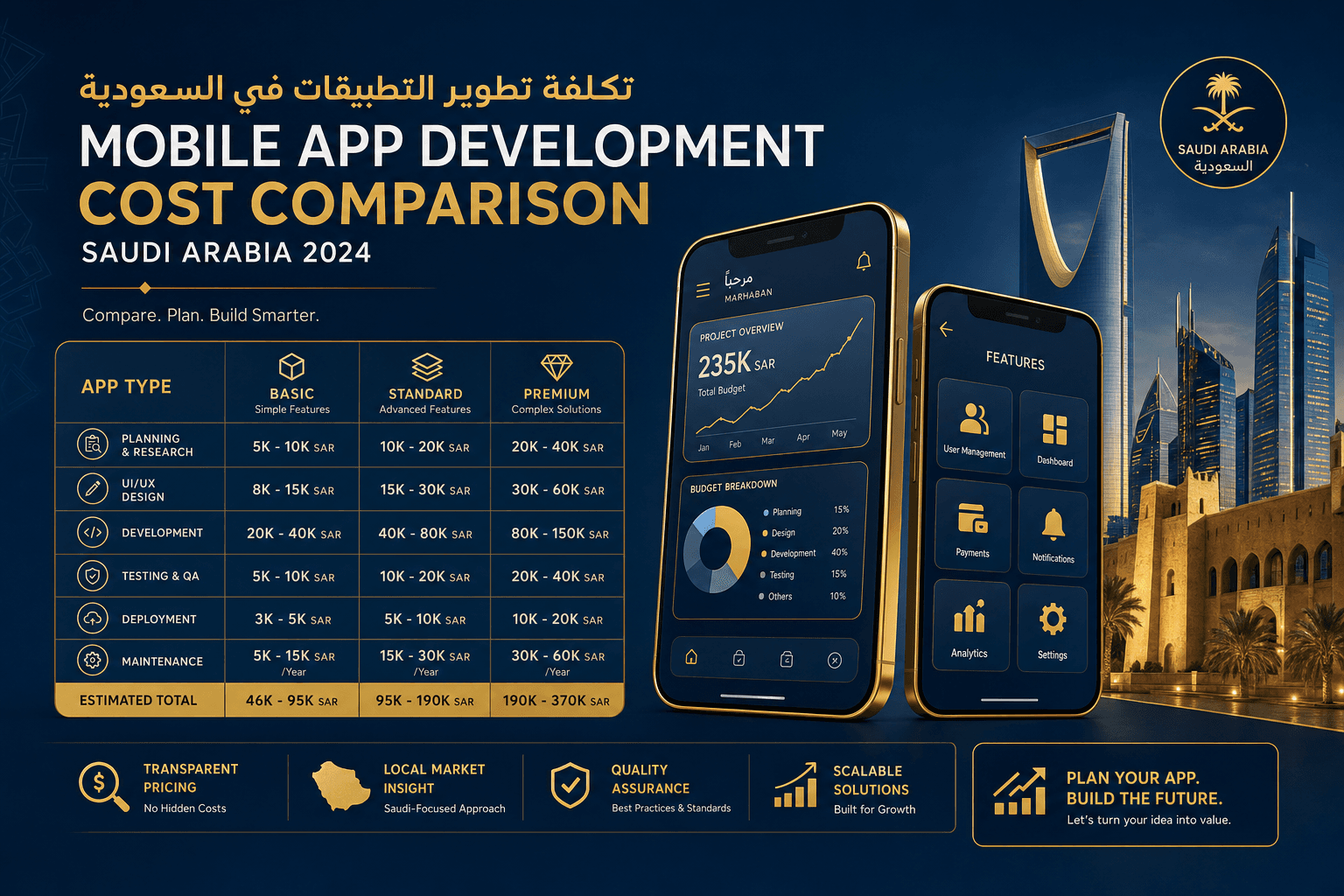
Native: $20,000-50,000 for medium app (iOS + Android).
Hybrid: $10,000-25,000 for same specifications.
Annual Maintenance: Native costs 25% more than Hybrid.
### Return on Investment
Native: Higher return for complex business applications.
Hybrid: Better for startups and small projects.
Time to Market: Hybrid provides 4-6 weeks head start.
## Examples and Success Stories
### Native Successes
WhatsApp: Uses Native to ensure superior messaging performance.
Uber: Native app ensures location accuracy and fast performance.
Instagram: Native for efficient image and video processing.
### Hybrid Successes
Facebook: Used React Native in parts of the app.
Airbnb: Hybrid for development speed and cost savings.
Tesla: Used React Native for specific interfaces.
## Future Trends
### Evolution of Hybrid Technologies
Flutter achieving 300% growth in adoption annually.
React Native improving performance with new Fabric technologies.
WebAssembly bringing web performance closer to Native.
### AI and Development
AI in Development: Design-to-code tools accelerate development by 50%.
Automated Development: No-Code platforms changing development landscape.
### Security and Privacy
New Security Standards favor Native for sensitive applications.
Privacy First: Apple and Google tighten Native requirements for financial apps.
## Final Selection Guidelines
### When to Choose Native?
- Complex applications and games
- Need for superior performance and full hardware access
- High budget and available time
- Financial and medical applications
- Large audience and high requirements
### When to Choose Hybrid?
- Startups and small projects
- Limited budget and tight timeline
- Simple business applications
- Single development team
- Need for quick market entry
### Expert Tips
Start with MVP: Use Hybrid for first version then move to Native when growing.
Evaluate Audience: If most users are on one platform, consider Native for that platform.
Plan for Future: Consider expansion plans and future features.
Conclusion and Recommendations
Choosing between Native and Hybrid isn't black and white. Each project has its unique circumstances. Native apps excel in performance and advanced features, while Hybrid offers flexibility and lower costs. The key is evaluating your real needs and available resources.
At Itqan Integrated Solutions, we help you make the right decision based on our extensive experience developing over 200 mobile applications. Our specialized team provides free consultation to determine the optimal technology for your project.
Need help choosing the right technology? Contact us today for free consultation and customized development plan for your needs.